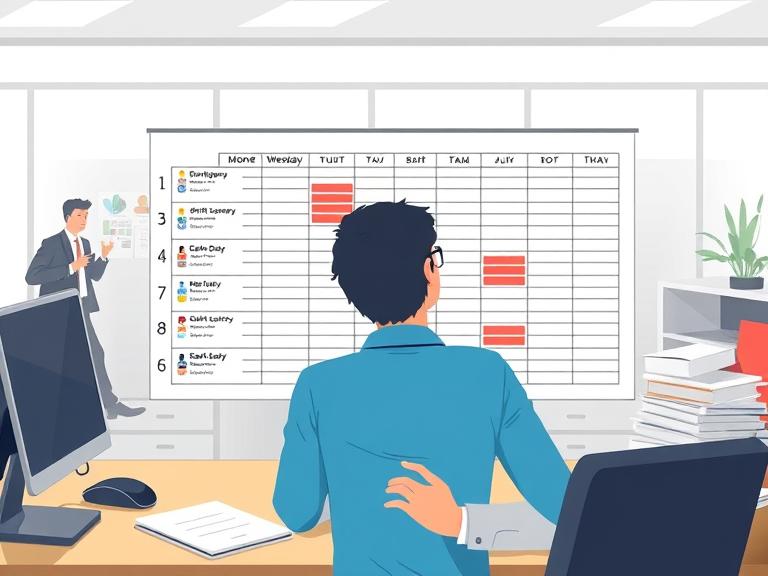
Managing employee leave can feel like juggling flaming swords — one wrong move and your roster is in chaos. Annual leave, sick days, parental leave, public holidays — the list goes on. Keeping track manually is stressful and error-prone, and mistakes can disrupt operations, frustrate staff, and even lead to compliance issues. That’s why RosterMate leave management software exists: to make leave tracking effortless, accurate, and completely integrated with your rostering system.
Why Proper Leave Management Matters
Leave management isn’t just about ticking boxes; it directly affects your business operations. Mistakes in leave tracking can result in:
- Double-booked staff and understaffed shifts
- Payroll errors due to incorrect leave balances
- Frustrated employees and reduced morale
- Compliance issues with New Zealand employment laws (MBIE Leave & Holidays Guidelines)
Effective leave tracking ensures your workforce is correctly scheduled, fairly treated, and compliant with all employment regulations.
NZ Leave Entitlements at a Glance
Under the Holidays Act 2003, New Zealand employees have clearly defined minimum leave entitlements. Understanding these is the foundation of compliant leave management:
| Leave Type | Entitlement | Notes |
|---|---|---|
| Annual Leave | 4 weeks per year | Accrues after 12 months of continuous employment |
| Sick Leave | 10 days per year | Available after 6 months; can carry over up to 20 days total |
| Bereavement Leave | 3 days (immediate family); 1 day (others) | Paid leave for death of a close relative |
| Public Holidays | 11 days per year | Paid if falls on a day the employee would normally work |
| Parental Leave | Up to 26 weeks primary carer | Government paid; eligibility based on work history |
Tracking all of these accurately across a team of even 10 people is a substantial administrative task. Across 30 or more staff, it’s unmanageable without purpose-built software.
Automatic Absence Tracking
One of the most common headaches for managers is tracking unscheduled absences. With RosterMate, every approved leave request is automatically logged in the system. Whether an employee is taking annual leave, sick leave, or a surprise day off, your roster updates in real-time. This eliminates the need for scattered spreadsheets, emails, or sticky notes.
Example:
If Jane Doe submits 3 days of sick leave from 10–12 September, RosterMate instantly updates the roster, flags potential staffing gaps, and suggests replacements based on availability and skills. No more last-minute calls to find cover.
Instant Leave Approvals
Manual leave approvals are slow and often inconsistent. With RosterMate’s approval workflow, managers can approve or decline leave requests with a single click. Employees receive instant notifications, and the system updates their leave balance automatically.
Tip: Combine this with public holiday awareness. RosterMate flags statutory holidays and ensures leave calculations are accurate, avoiding mistakes like overpaying or underpaying staff.
Integration With Rosters
Once leave is approved, RosterMate updates the roster automatically. This prevents scheduling conflicts, ensures fair workload distribution, and keeps managers aware of who’s available at all times.
Sample Leave Table:
| Employee | Leave Type | Start Date | End Date | Status |
|---|---|---|---|---|
| Jane Doe | Annual Leave | 10 Sep 2025 | 14 Sep 2025 | Approved |
| John Smith | Sick Leave | 15 Sep 2025 | 16 Sep 2025 | Pending |
Handling Complex Leave Scenarios
Some leave types can get tricky:
- Parental Leave: Ensure leave duration aligns with NZ legislation. RosterMate tracks entitlements and statutory notice periods. (More on Parental Leave)
- Sick Leave: Automatically updates balances, flags when employees exceed limits, and integrates with your rostering system.
- Public Holidays: Auto-calculates pay and ensures staff aren’t double-booked.
Benefits of Automating Leave Tracking
By automating leave management, managers gain:
- Time savings: Reduce admin by hours each week.
- Error reduction: Eliminate human mistakes and compliance risks.
- Employee transparency: Staff can view their leave balances and approved absences instantly.
- Better planning: Know at a glance who’s available, when, and what skillsets are on shift.
Tips for Managers
- Check leave trends: Spot patterns in absences and plan ahead.
- Communicate clearly: Notify staff of approvals, declines, or schedule updates instantly.
- Keep records: Use software that logs leave history for audits or disputes.
- Link to payroll: Ensure leave balances automatically feed into payroll for accurate pay.
Case Study: Real-World Example
An Auckland-based aged care facility was struggling with manual leave tracking across 50+ staff. Managers spent 4 hours each week reconciling spreadsheets and correcting errors. After implementing RosterMate:
- Leave requests were approved in under 5 minutes.
- Roster conflicts dropped to zero.
- Managers reclaimed an average of 3 hours per week for operational tasks.
Staff reported greater satisfaction and clarity, improving overall engagement.
What Happens When Leave Management Goes Wrong
It’s worth spelling out what poor leave management actually costs a business, because the consequences extend well beyond the obvious:
- Operational disruption: A shift that runs short because leave wasn’t accounted for means remaining staff carry extra load, service quality drops, and customer complaints follow.
- Payroll inaccuracies: Incorrect leave balances lead to incorrect pay. Overpaying leave entitlements is a direct financial loss; underpaying creates legal exposure under the Holidays Act 2003.
- Employment disputes: Employees who feel their leave entitlements have been mishandled or ignored have clear grounds for a personal grievance under the Employment Relations Act 2000. The cost of an employment dispute — in management time, legal fees, and relationship damage — far exceeds the cost of good software.
- Audit risk: MBIE can audit your leave records as part of an employment standards review. Businesses with manual, incomplete, or inconsistent records face significant risk. Digital leave tracking provides a clean, auditable trail for every request, approval, and balance change.
Conclusion
Tracking leave and absences doesn’t need to be painful. With RosterMate leave management software, you can automate approvals, prevent conflicts, maintain compliance, and keep your workforce happy and productive. This isn’t just about saving time — it’s about creating a professional, reliable system that works for your team and your business.
The Holidays Act 2003 is clear about what employees are entitled to. The responsibility for getting that right sits with the employer. The right software makes compliance the default, not something you have to manually verify each pay period.
Ready to simplify leave tracking? Visit RosterMate.co.nz to see how our software can transform the way you manage employee absences.
Further Resources
RosterMate is a New Zealand-based workforce management platform providing advanced rostering, time tracking, leave management, and team communication tools for shift-based businesses.