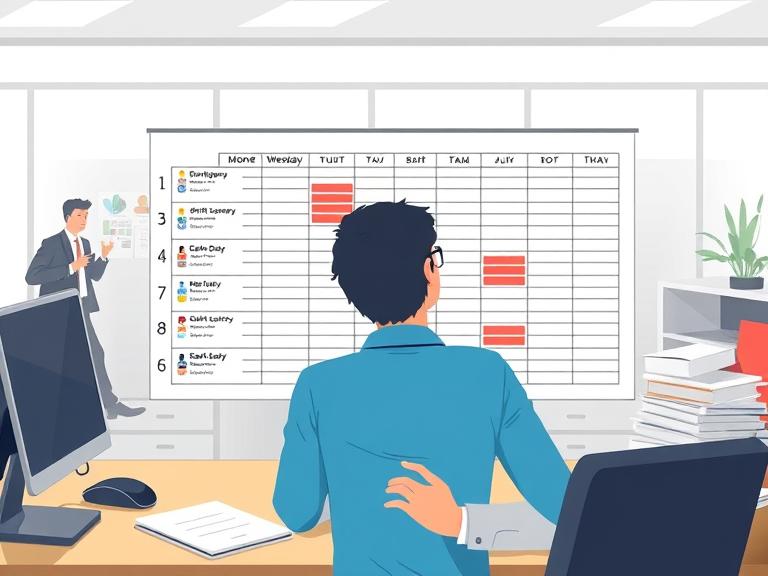
Even experienced managers can stumble when creating weekly rosters. A tiny oversight can cascade into confused staff, payroll headaches, and unhappy clients. In shift-based environments — healthcare, hospitality, retail, manufacturing — the roster is the heartbeat of the operation. Get it wrong, and everything downstream suffers. Here’s a look at the most common mistakes and how RosterMate’s rostering software helps you avoid them.
1. Rostering Staff Who Are on Leave
Nothing screams chaos like scheduling someone for a shift they already requested off. It sounds obvious, but in a busy operation where leave requests come in via email, text, and word of mouth, it happens constantly. The manager builds Monday’s roster on Friday afternoon, forgets about the leave request from Tuesday, and by Sunday night someone’s getting an awkward phone call.
With RosterMate leave management, the system instantly flags employees who are on leave when you try to roster them, preventing scheduling errors before they happen. No more double-bookings or awkward last-minute calls to staff.
2. Over- or Under-Scheduling Employees
Giving employees too many hours can lead to burnout, while too few can hurt engagement, service levels, and your team’s financial security. Both extremes create problems — and both are common when rosters are built by hand.
Under NZ employment law, contracted hours matter. Scheduling someone consistently below their contracted hours without agreement can create legal exposure. Scheduling above those hours without proper overtime calculation affects your payroll accuracy and your obligations under the Employment Relations Act 2000.
RosterMate tracks contracted hours and alerts managers when an employee is scheduled outside their allowed limits. You can ensure fair workloads and stay compliant with employment regulations, all while keeping your team happy.
3. Failing to Inform Staff About Roster Changes
Changes happen — but staff not knowing about them is a recipe for confusion. A shift swapped, a time adjusted, an extra person added. If the team finds out via a group chat message that half of them missed, someone will show up wrong.
RosterMate instantly notifies staff of updates via push notification and in-app alerts, and the app ensures they only ever see the latest roster version. Employees won’t be scrambling over outdated schedules, and managers can make adjustments confidently knowing the information reaches the right people immediately.
4. Neglecting Employee Preferences and Skillsets
Matching the right staff to the right shift is more than just filling slots with available people. In healthcare, you need staff with the right qualifications. In hospitality, you need experienced front-of-house during peak service. In retail, you need senior staff supervising high-traffic periods. Ignoring preferences and capabilities when rostering creates a team that’s technically present but not optimally deployed.
RosterMate considers employee skills, qualifications, and preferences when generating schedules. This avoids scheduling mismatches and ensures your team works efficiently, satisfied, and prepared for every shift.
5. Overlooking Public Holidays
Public holidays in New Zealand come with specific obligations. Employees who work on a public holiday are entitled to time-and-a-half pay plus a day off in lieu. Those who don’t work are still entitled to their normal pay if the holiday falls on a day they’d ordinarily work. Getting this wrong — in either direction — is a compliance issue.
RosterMate automatically flags public holidays and accounts for relevant award rates, ensuring your roster is both compliant and accurate without extra manual checks. Reference: MBIE Public Holidays.
6. Manual Rostering Chaos
Pen, paper, or Excel might work for tiny teams, but for medium or large operations, it’s a disaster waiting to happen. Mistakes creep in, shifts get double-booked, and updates are easily lost. A manager who is sick can’t update a shared spreadsheet. A formula error can corrupt hours for the whole team. Emailing updated rosters creates version confusion.
RosterMate’s drag-and-drop roster builder makes creating, adjusting, and publishing rosters simple and error-free, with built-in alerts for conflicts and compliance issues. Everyone sees the same roster in real time.
7. Building Rosters Without Checking Leave Balances
It’s not enough to know that someone is available next week — you also need to know whether approving their leave request now will leave you short. Many managers approve leave in isolation without checking what the team looks like on those dates. The result is a roster where three people are off at the same time, cover can’t be found, and shifts run dangerously short-staffed.
RosterMate gives managers a live view of team availability alongside leave requests, so every approval decision is informed by the actual operational picture.
8. Not Planning for Peak Periods
Reactive rostering — building a new roster from scratch each week without reference to what’s coming — misses the opportunity to plan ahead for predictable busy periods. School holidays, public holiday weekends, seasonal rushes, special events — these all demand different staffing levels. Teams that roster reactively are always a week behind where they need to be.
RosterMate’s roster templates let managers build frameworks for peak periods in advance. When a busy week is approaching, the right structure is already in place and only needs minor adjustments rather than a complete rebuild.
9. Forgetting to Cross-Reference Payroll
A roster that doesn’t connect to payroll creates a manual reconciliation task at the end of every pay period. Managers re-enter hours, check totals, and try to match what the schedule said with what actually happened. Errors in this handoff are common and costly.
RosterMate integrates with payroll platforms including Xero and MYOB, so the hours tracked through the system flow directly to payroll export. The roster and the timesheet speak the same language, and the risk of transcription errors disappears.
A Roster Manager’s Weekly Checklist
Before publishing your weekly roster, run through these checks:
- Has all approved leave been blocked out for the upcoming week?
- Are any employees approaching their contracted hours limit?
- Are public holidays flagged and pay rates correct?
- Does every shift have the right skill coverage (qualified, experienced, senior)?
- Have all staff been notified of their shifts via the app?
- Are there any upcoming peak periods or events that need additional cover?
- Is the roster linked to your payroll system and ready for timesheet reconciliation?
Conclusion: Avoid Common Scheduling Pitfalls
Smart rostering isn’t just about filling shifts — it’s about protecting your team, maintaining compliance, and saving time. Every one of the mistakes above is avoidable with the right system in place. Using RosterMate workforce management software ensures that leave is respected, hours are correct, changes are communicated, and the right staff are in the right place at the right time.
Stop letting roster mistakes stress you out. Visit RosterMate.co.nz and see how our employee rostering software transforms weekly scheduling for businesses across New Zealand.
Further Resources
RosterMate is a New Zealand-based workforce management platform providing advanced rostering, time tracking, leave management, and team communication tools for shift-based businesses.